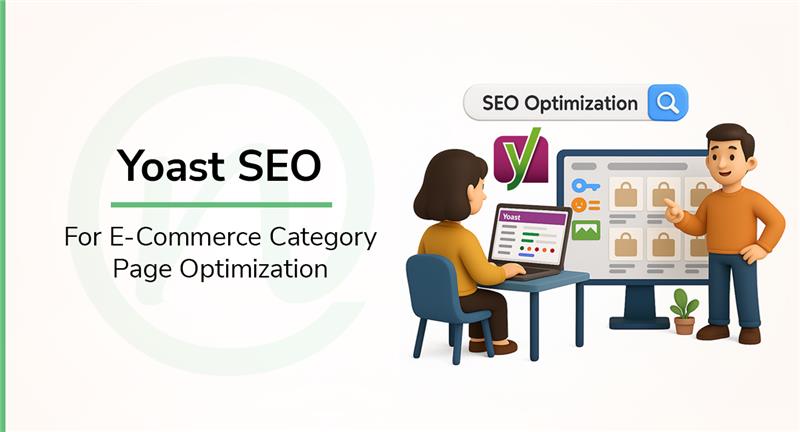
Yoast SEO for e-commerce Category Pages
1st August 2025 / in SEO / by Ruturaj Kohok
- Reading time: 8 mins 02 Sec
Do your e-commerce category pages feel invisible to search engines?
We know what it’s like: you’ve got amazing products, but somehow your category pages just aren’t getting the attention they deserve in search results.
We understand how CRUCIAL your category pages are for e-commerce success. These aren’t just simple product organisers. They’re powerful landing pages that can drive serious traffic and conversions to your store!
If you’re wondering, “What is Yoast SEO?” You’ve come to the right place. It is one of the top SEO plugins for WordPress and Shopify, making category page optimisation straightforward and effective.
You can start with the free version that covers all the essentials, or step up to Premium if you want to unlock advanced features that can really make your pages shine.
So, what can you expect from this guide?
We’re going to walk you through EVERYTHING you need to know about optimising those category pages with Yoast SEO.
From basic setup to advanced techniques, we’ve got practical, actionable advice that will help your products get discovered by the RIGHT customers.
Let’s get started!
What makes e-commerce category pages important for SEO?
Category pages are the unsung heroes of e-commerce SEO, and we’re about to show you exactly why they deserve more attention!
Category pages drive SIGNIFICANTLY more estimated traffic than product pages. For most online stores, these pages rank second only to the homepage when it comes to generating organic visitors.
So why are they such game-changers when you’re using Yoast SEO to optimise your e-commerce site?
Let’s break it down!
#1 They help organise products for users and search engines
Category pages create a logical hierarchy that works wonders for both your shoppers AND search engines.
For your customers, they provide an intuitive way to browse related products without feeling overwhelmed by endless options.
For search engines? They reveal your site structure and help them understand how all your content connects together.
With the Yoast SEO plugin for Shopify or WordPress, you can take this organisation even further through proper taxonomy settings.
#2 They often rank for high-volume keywords
Category pages can target those broad, commercial keywords that drive SERIOUS traffic.
Unlike your specific product pages that go after long-tail keywords, category pages can rank for shorter, high-volume terms that bring in the crowds.
And these broader terms often have high transactional intent, meaning users are actively looking to make a purchase.
#3 They serve as landing pages for organic traffic
Category pages work as perfect landing pages because they give visitors multiple options within their area of interest.
Sure, they might not convert as well as product-specific pages, but they’re invaluable for:
- Capturing top-of-funnel traffic
- Introducing new visitors to your brand
- Providing navigation to more specific products
- Building your internal linking structure
Plus, if you’re using Yoast SEO Premium, you can enhance these pages with advanced schema support, making them even more effective as entry points to your store.
We also can’t forget that category pages distribute link equity throughout your site. Since they sit higher in your site hierarchy, they pass valuable SEO authority to your product pages through internal links!
How can the Yoast SEO plugin be set up for category pages?
We understand that technical stuff can feel overwhelming sometimes, but trust us, setting up Yoast SEO for Shopify for your category pages is much easier than you think!
The process involves a few key steps that work together to create a solid foundation for your e-commerce SEO. Let’s break it down step by step.
#1 Installing and activating the Yoast SEO plugin
First things first, let’s get Yoast SEO up and running on your site.
Head over to your WordPress dashboard and click on Plugins > Add New.
Search for “Yoast SEO,” hit “Install Now,” and then “Activate.”
Once you’ve activated it, you’ll see a shiny new SEO menu item in your dashboard sidebar; that’s your gateway to all the Yoast SEO plugin features and settings you’ll need.
#2 Configuring taxonomy settings for categories
Here’s where things get interesting!
Yoast SEO plugin for Shopify or WordPress really shines when it comes to optimising category pages through its taxonomy settings.
Navigate to Yoast SEO > Settings > Categories. This is your control centre for how category pages appear in search results.
You can customise SEO titles and meta descriptions using variables like the category name. This section also lets you decide whether search engines should display your category pages in search results, which is generally a smart move for e-commerce sites.
#3 Setting up breadcrumbs for better navigation
Breadcrumbs are actually SUPER important for e-commerce navigation! They help both users and search engines understand your site structure.
To enable them, go to Yoast SEO > Settings > Advanced > Breadcrumbs and toggle “Enable breadcrumbs” to On.
You can customise the separator between breadcrumbs and other display options right here.
Here’s a pro tip: make sure each product links back to its nearest category. This reinforces the authority of your category pages.
#4 Connecting Google Search Console for insights
Want to know how your category pages are actually performing in search? You need Google Search Console connected to the Yoast SEO plugin!
Start by creating a Google Search Console account and adding your site. Under “URL prefix,” enter your full site URL.
Copy the HTML tag verification code and paste it into Yoast SEO > Settings > Site connections under the Google field.
After saving, hop back to Google Search Console and click “Verify” to complete the connection.
Once you’ve got all these settings properly configured, you’ll have a rock-solid foundation for your e-commerce category pages to perform well in search results.
What are the best ways to optimise category pages using Yoast SEO?
Now comes the fun part: actually optimising those category pages!
We understand that the Yoast SEO plugin has some seriously powerful features, and when you use them strategically, you can turn underperforming pages into traffic magnets that drive real conversions and revenue.
Let’s check out the proven tactics that actually work:
#1 Write unique meta titles and descriptions
Your meta titles and descriptions are like your storefront window. They’re the FIRST thing potential customers see in search results, and you’ve got just seconds to convince them to click through to your category pages.
Here’s what you need to know: keep those meta titles under 60 characters and make sure your primary keyword is in there.
Yoast SEO makes this super easy – you can create templates for consistency or customise each category page individually.
For meta descriptions, aim for 150-160 characters that actually describe your category content and include a compelling call-to-action.
Yoast SEO for Shopify automatically checks if you’ve used your focus keyphrase in the meta description, which can seriously boost your click-through rates.
#2 Use focus keywords effectively
Focus keywords are like giving Yoast SEO a roadmap to analyse your category pages.
For category pages, use the category type as your focus keyphrase input; this lets Yoast’s SEO and readability analysis guide your optimisation efforts.
Don’t make the mistake of leaving your category pages empty! Even a short, optimised paragraph can provide valuable context for both users and search engines.
#3 Improve readability and content structure
Nobody wants to read confusing, poorly structured content, and neither do search engines.
Yoast SEO plugin for Shopify offers readability analysis: it’s like having a writing coach that spots issues with sentence structure, paragraph length, and transition word usage.
Here’s a simple trick: add a brief introduction above your product listings and continue with content below.
This helps both users and search engines understand what your category is all about.
#4 Add internal links to related products or categories
Internal linking is one of those seo strategies that works DOUBLE duty – it distributes link equity throughout your site AND improves navigation for your customers.
On your category pages, make sure to include links to:
- Subcategories for better site structure
- Related categories to encourage further browsing
- Popular or featured products to boost their visibility
#5 Avoid duplicate content with canonical URLs
Here’s something that can really hurt your rankings: duplicate content confuses search engines because they can’t figure out which version to show in results.
Yoast SEO plugins come to the rescue with canonical tags that identify the primary version of similar pages.
This is especially important for filtered category views, where you might have multiple URLs showing similar content.
Once these strategies are implemented, your category pages will reflect stronger SEO scores in Yoast:
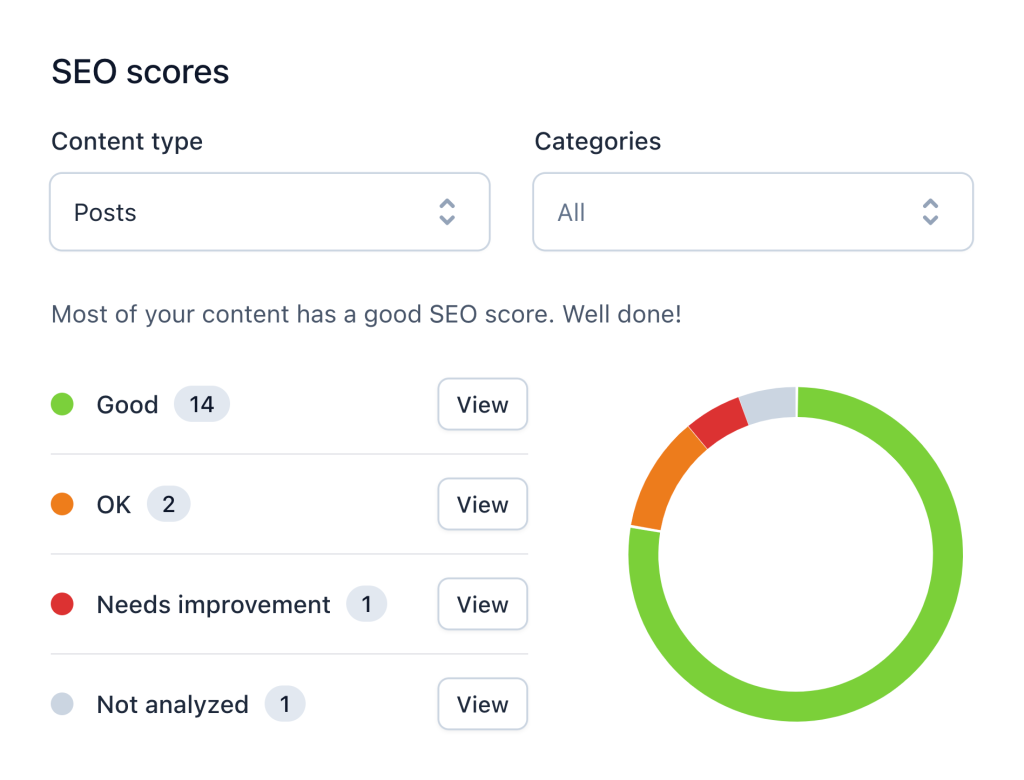
Source: Yoast SEO
It gives you a clear overview of how your content is performing. Make sure that you aim for more green scores by following the strategies mentioned above for optimisation.
How does Yoast SEO Premium enhance category page SEO?
Ready to take your category page game to the next level?
Upgrading to Yoast SEO Premium unlocks some seriously powerful features that can make your optimisation efforts WAY more effective.
#1 Internal linking suggestions for better site structure
Yoast SEO Premium automatically analyses your content and suggests relevant internal links while you’re writing.
That means no more scratching your head wondering which pages to link to!
This time-saving feature identifies related category pages you might have completely forgotten about, helping you build a stronger site structure without ever leaving the editor.
The tool uses prominent words from your blog posts to find the best matching content.
Pretty smart, right?
#2 Social media previews for category pages
Want to know exactly how your category pages will look when someone shares them on Facebook or Twitter?
The social preview feature on Yoast SEO Premium lets you see it all before you hit publish!
You can customise images, titles, and descriptions specifically for each platform, making your social shares more attractive and clickable.
And here’s the best part: the tool automatically adds all necessary Open Graph tags in the background. That’s one less thing for you to worry about!
#3 Redirect manager to handle outdated category URLs
Ever renamed or deleted a category page and worried about broken links? Yoast SEO Premium has you covered!
Whenever you make these changes, this WordPress SEO plugin automatically creates redirects.
This prevents users from hitting those frustrating 404 errors and, more importantly, preserves your hard-earned SEO value.
The plugin supports various redirect types, including 301 (permanent), 302 (temporary), and 410 (content deleted).
#4 Advanced schema support for rich results
Premium users get access to enhanced schema controls that help search engines better understand your category page content.
You can specify exactly what type of page you’re creating, which increases your chances of getting those eye-catching rich results in search listings.
This helps you in your SEO efforts by helping you stand out from the competition!
Final thoughts: Optimise category pages effectively with Yoast SEO
Category pages are absolute GOLDMINES for your e-commerce store when you optimise them right with Yoast SEO.
We’ve seen how these pages can drive way more traffic than individual product pages while targeting those valuable high-volume keywords that really matter.
The free version gives you solid tools to get your category pages performing. But if you want that extra edge? The Yoast SEO Premium version brings automatic internal linking suggestions and advanced schema support that can really set you apart from competitors.
Whether you go free or premium, the most important part is actually DOING something with what you’ve learned.
We believe that with Yoast SEO plugins and the strategies we’ve shared, you’ll turn these often-forgotten pages into some of your most valuable assets.
The time you put into optimising them today will pay off BIG TIME with more traffic, better user experience, and ultimately, more sales.
Need help getting your category pages optimised for maximum results?
Get in touch with us for expert e-commerce SEO services!
FAQs:
Yoast SEO is a WordPress plugin that is primarily used to improve website content for the search engines in an effort to the highest level it can promote a website for search engine rankings.
To set up Yoast SEO for category pages, install and activate the plugin, configure taxonomy settings for categories, set up breadcrumbs for better navigation, and connect Google Search Console for insights.
E-commerce category pages organise products and serve as landing pages for broad product groups. They are crucial for SEO because they often rank for high-volume keywords, help distribute link equity, and drive significant organic traffic to online stores.
Key optimisation practices include writing unique meta titles and descriptions, using focus keywords effectively, improving readability and content structure, adding internal links to related products or categories, and avoiding duplicate content with canonical URLs.
Yoast SEO Premium offers advanced features such as internal linking suggestions, social media previews for category pages, a redirect manager for handling outdated URLs, and enhanced schema support for rich results in search listings.